- Automate intake to reduce Slack and email noise for RevOps teams.
- Capture context at submission to prevent back-and-forth details requests.
- Route by type and assign owners automatically to speed work.
- Measure throughput and backlog health to drive continuous improvement.
- Templates for common requests to accelerate intake.
Inbox-to-Action: Automate Request Intake Without Losing Context is a practical blueprint for transforming how RevOps teams handle requests. The goal is simple: move from a noisy,往undisciplined inbox to a structured intake system that preserves critical details while speeding handoffs. By combining standardized categories, contextual data capture, and rules-based routing, teams can reduce cycle time and improve transparency without sacrificing accuracy.
Inbox-to-Action: Automate Request Intake Without Losing Context in Practice
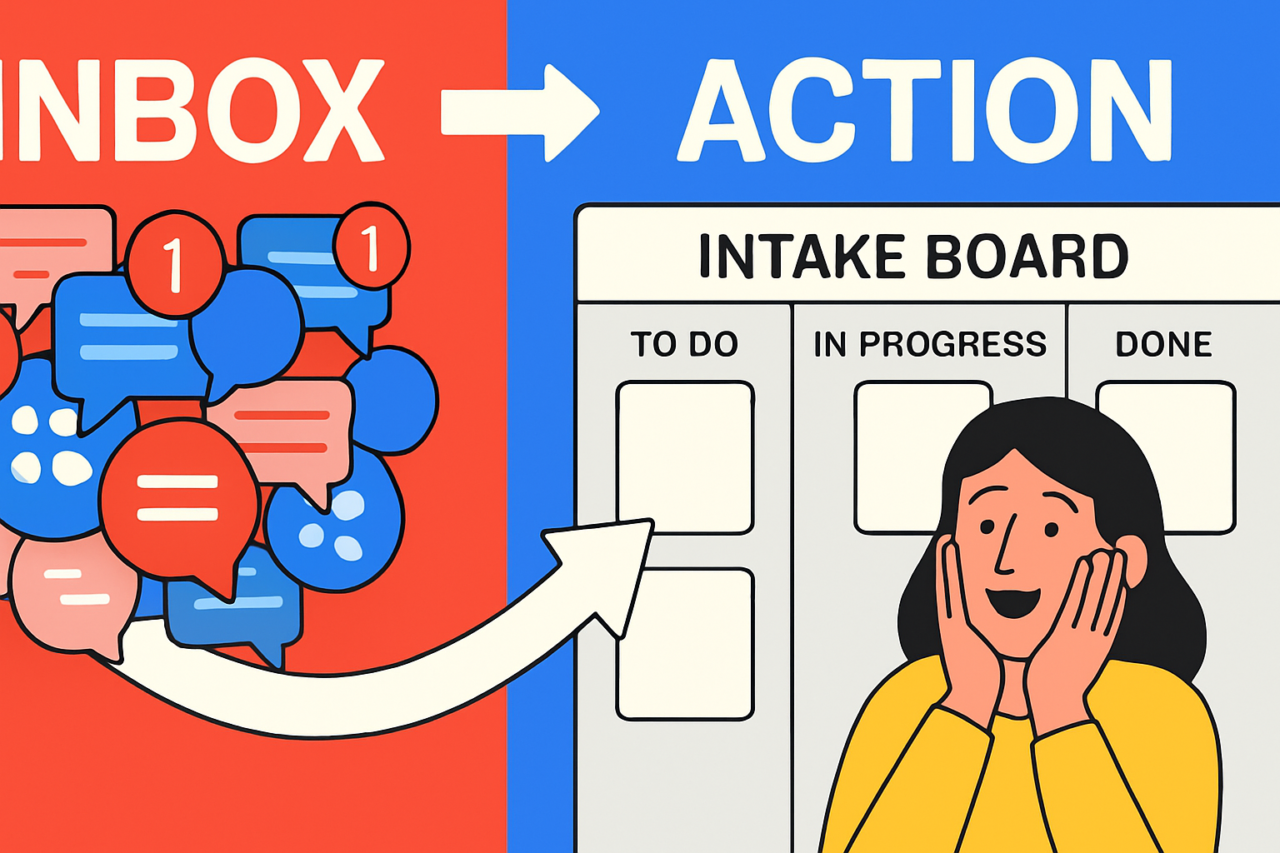
In many growth-stage organizations, Slack channels and email threads become a de facto backlog. Requests arrive in a flood, and context gets buried in thread history or scattered across attachments. The core idea behind Inbox-to-Action is to centralize intake in a single gate that preserves context, then routes work automatically. This approach aligns with search intent for how-to guides, offers a clear path to measurable outcomes, and is friendly to both novices and seasoned RevOps professionals.
What Inbox-to-Action Means for RevOps
Inbox-to-Action implies a small, repeatable system that can be described in three parts: capture, route, and visibility. First, capture means designing intake forms or messages that collect essential details upfront. Second, route means applying rules to assign work to the right owner or queue. Third, visibility means tracking status, aging, and throughput so teams know where bottlenecks form. Together, these parts reduce context loss and enable quicker, more accurate work completion.
Build an Intake System that Captures Context
Define Request Categories
Start with a concise set of categories that map to your RevOps workflow. Common categories include Marketing Campaign Requests, Sales Data Updates, System Access, and Meeting/Event Planning. Each category should imply a distinct routing path and required fields. Keep the list small enough to avoid confusion, but comprehensive enough to cover your most common work streams. Learn more about category design.
Capture Context at Submission
Context is the difference between a ticket that stalls and one that advances. At submission, collect: requester name, contact, date due, business impact, related account or campaign, and a concise description. Attachments or links should be optional but encouraged if they save back-and-forth. Use structured fields rather than free-form notes whenever possible. An intake form or a well-configured Slack slash command can enforce the required fields and prevent incomplete requests from entering the queue.
Routing Model
Routing should be rule-driven and predictable. Use type-based routing (based on the category), owner-based routing (by team capacity), and SLA-based routing (to enforce deadlines). Consider these practical rules:
- Category-based routing: Directs to the specialist team (e.g., Campaigns to Marketing Ops).
- Priority handling: Escalates high-impact items to a senior owner or a shared escalation queue.
- Capacity-aware routing: Allocates work to teams with the most available WIP capacity.
- Context continuity: If a request comes with a related account ID, attach it to the existing records to preserve linkage.
Automating routing reduces misassignments and speeds up initial triage. It also makes it easier to measure queue health over time. For a deeper dive, see our internal guide on Slack workflow automation.
Templates for Request Categories
Templates standardize intake and ensure you collect the right data up front. Below are practical templates you can adapt for Slack, email, or a form-based intake.
Template: Content/Campaign Request
- Category: Campaign Content
- Title: Short, descriptive title of the piece
- Description: 2–3 sentences explaining the goal and audience
- Owner: Person responsible or queue
- Deadline: Date or urgency
- Related assets: Links or attachments
- Context: Why this is needed now, related campaign or account
Template: Data Update Request
- Category: Data Update
- Data source: CRM, ERP, spreadsheet
- Fields to update: List of fields
- Impact: How the update affects reports or dashboards
- Due date: When this is needed
Template: System Access / Provisioning
- Category: Access/Provisioning
- Requested Access: System, role, level
- Requester: Name, team
- Approvals: Stakeholders or managers
- Onboarding notes: Any prerequisites
Template: Scheduling/Meeting Support
- Category: Scheduling
- Meeting type: Cadence, kickoff, review
- Participants: List
- Time zone: Clarify availability
- Agenda: Brief agenda or goals
These templates serve as a baseline. Over time, tailor fields to your team’s workflows. Consider storing templates in a centralized help center or a shared document for easy reference. For a quick starter pack, see Intake Templates Pack.
How to Route and Attach Context
Once data is captured, the next step is to ensure every item has a clear destination and the necessary context to proceed. Here are practical steps you can implement today.
- Assign to the right queue based on category and required expertise.
- Attach historical context by linking to related records (existing cases, accounts, campaigns).
- Set owner and due date during triage to prevent drift.
- Provide next actions in the intake record, so owners know exactly what to do first.
- Leave a concise note in the record with reason for routing and any blockers.
Automation helps enforce these steps. A lightweight bot can triage, assign, and attach context as soon as a request is submitted. If your org uses Slack, you can build a quick command that creates an intake ticket in a centralized system (see Slack-to-Intake guide).
Measuring Throughput and Backlog Health
Metrics give you visibility into how well Inbox-to-Action is performing and where to improve. Focus on a small, actionable set that aligns with your business goals. Key metrics include:
- Throughput: Completed requests per week or per sprint.
- Cycle time: Time from triage to completion for each item.
- Lead time: Time from submission to completion, including delays in triage.
- Lead-to-slots or WIP limits: Maximum work items allowed in progress per category to prevent bottlenecks.
- Backlog aging: Proportion of items older than a target threshold (e.g., 7–14 days).
- Queue balance: Distribution of work across owners to avoid overloads.
To operationalize these metrics, maintain a lightweight dashboard in your project tool. A simple Kanban view with columns for Backlog, In Progress, and Done makes aging and WIP easy to spot. Regularly review metrics in a weekly ops review to decide where to adjust routing rules or templates. For more on metrics, see our Throughput Metrics guide.
Practical Example: A Step-by-Step Implementation
Imagine a RevOps team that handles marketing automation requests, data updates, and system provisioning. Here is a concrete, step-by-step path to implement Inbox-to-Action.
- Consolidate intake: Create a single intake channel or form where all requests enter. Use a bot or form that enforces required fields from the templates above.
- Define categories: Use four categories: Campaign Content, Data Update, Access/Provisioning, Scheduling. Map each category to a dedicated queue and SLA.
- Automate routing: Build rules so a Campaign Content request goes to Marketing Ops, Data Update to Analytics, Access to IT/Security, and Scheduling to Operations.
- Attach context: When a related account ID is present, attach to the existing CRM record. Include links to related projects if available.
- Launch a dashboard: Show backlog, aging, and throughput by category and owner. Update daily or weekly.
As you implement, monitor for early bottlenecks. If data updates take too long, consider adding a data steward or creating a recurring automation to pre-populate common fields. If you want to see a placeholder workflow, check our internal example at Example Intake Workflow.
Visuals to Communicate the Flow
Include at least one visual to illustrate the intake-to-action flow. A simple flowchart or a Kanban board screenshot helps teams understand who sees what and when. Suggested visuals:
- Intake-to-Action flowchart: Show submission, triage, routing, and completion steps with ownership arrows. Purpose: align stakeholders on the lifecycle.
- Kanban board snapshot: Columns for Backlog, In Progress, Review, and Done by category. Purpose: visualize WIP and aging at a glance.
- Context linkage diagram: Demonstrate how related records (accounts, campaigns) stay connected through the lifecycle. Purpose: emphasize data continuity.
If you publish a visual, provide a small legend and a copy-friendly version for internal docs. A well-labeled image reduces speculation and speeds onboarding for new team members.
Internal Links and Resources
For deeper guidance, consider these internal resources that complement Inbox-to-Action: Intake Best Practices, Automation Workflows, Slack-to-Intake.
Conclusion: Take the First Step Toward Inbox-to-Action
Inbox-to-Action: Automate Request Intake Without Losing Context offers a practical path to reduce noise, preserve critical context, and improve throughput. Start with a small, well-defined set of categories, implement a structured intake form, and set up routing rules that align with your team’s strengths. Track a few core metrics, and adjust as you learn what drives your backlog health and cycle time. The result is clearer ownership, faster turnaround, and a model you can scale as your organization grows. Ready to begin? Create a pilot intake channel today, and map your first category to a dedicated queue. Your RevOps team will thank you for the clarity—and the speed.