
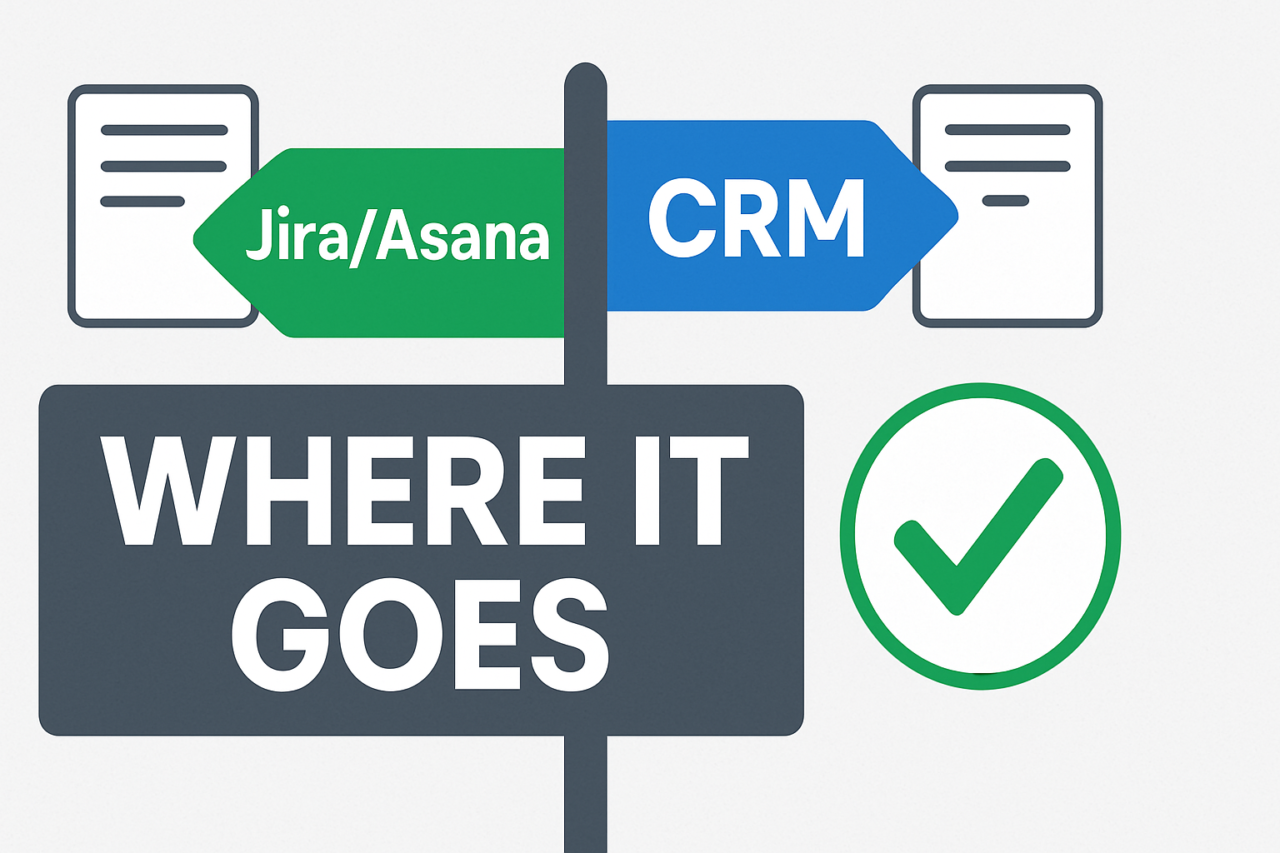
- Split work by tool: use Jira/Asana for operational tasks and CRM for revenue data.
- Define handoffs: map tasks to owners, statuses, and IDs that link across tools.
- Aim for visibility: dashboards pull data from both sides to show progress across the revenue pipeline.
- Avoid duplicates: sync only essential fields and prevent duplicate records by linking instead of copying data.
RevOps Ticketing: When to Use Jira/Asana vs CRM Workflows is a core decision in modern revenue operations. Many teams assume all work belongs in the CRM, but operational tasks often live best in ticketing or project tools. The right split helps teams move faster, reduce waste, and maintain clear ownership across functions.
RevOps Ticketing: When to Use Jira/Asana vs CRM Workflows
In practice, you will separate work based on the nature of the activity. Operational tasks—such as internal requests, issue tracking, deployments, and support escalations—fit naturally in a ticketing system like Jira or Asana. Revenue-facing processes—like opportunity updates, renewals, and invoicing—belong in a CRM workflow. The goal is to keep each task in the system where it can be resolved most efficiently while ensuring data appears where stakeholders need it most.
When to use Jira or Asana (Ticketing tools) for operational work
Use a ticketing tool when tasks require fast triage, clear ownership, and auditable task history. Examples include internal IT requests, bug and feature tickets, onboarding tasks for new customers, and cross-department requests. These tools excel at rapid status updates, parent-child task relationships, and automation that keeps work moving without touching CRM data fields unnecessarily. In this setup, the task lifecycle is the primary focus, not the customer record alone. For example, a server downtime incident should live in Jira so the operations team can track resolution steps and timelines, with a lightweight link to the corresponding CRM record for context if needed.
When to rely on CRM workflows for revenue processes
CRM workflows are best for anything tied to revenue recognition, pipeline progression, or customer lifecycle management. This includes updating opportunities, logging emails and calls against a deal, triggering renewals reminders, and generating invoicing data. CRM systems keep an auditable trail of customer interactions and financial signals, which are essential for forecasting and executive reporting. For example, once a deal reaches a specific stage, a CRM workflow can trigger an account review or renewal task in the ticketing tool to prepare onboarding activities.
Designing clear handoffs between Jira/Asana and CRM
Clear handoffs prevent work from slipping between systems. Start with a boundary map that defines what data lives in each tool and how it links across systems. A simple rule set can keep things moving with less friction.
Boundary mapping and reference linking
Map each task type to a system and create a reference link between the ticket and the CRM record. Use an identifier that remains stable across tools, such as a ticket ID that is added to the CRM note or a CRM reference appended to the ticket. This practice makes it easy to navigate from a Jira or Asana task to the related CRM record without duplicating data.
Synchronizing data without duplication
Only sync the fields that matter for visibility or automation. For example, sync status, priority, owner, and due date from the ticket to a lightweight CRM observation if needed. Do not copy entire records; duplication creates drift and confusion. Use cross-tool links instead of full data replication.
SLA, prioritization, and visibility across tools
Service level agreements (SLAs) and prioritization rules should apply to both sides of the handoff. Define SLA targets for ticket response, resolution, and CRM follow-up. Tie priorities to impact on the revenue process so teams know what to escalate. Visual dashboards should combine data from Jira/Asana and the CRM to provide a unified view of progress, bottlenecks, and upcoming deadlines.
To avoid misalignment, publish a few standard workflows that everyone can reference. For example, a high-priority incident in the ticketing system should trigger a CRM-led review if it affects customer onboarding or renewal risk. Conversely, a stalled CRM renewal task should alert the account team and prompt an internal ticketing task for operational remediation.
Practical example: onboarding and support scenarios
Consider a SaaS onboarding scenario. A sales-qualified lead becomes a customer, and a new onboarding ticket is created in Jira. The engineering and implementation teams use Jira to track setup tasks, data migrations, and integration work. The CRM holds the customer profile, contract, and renewal date. As milestones progress, the CRM triggers corresponding tickets in Jira for operational tasks (for example, provisioning a workspace, configuring integrations, or scheduling training). If a contract changes, the CRM updates the opportunity and can initiate a new set of operational tasks in Jira. All movements are linked by a shared identifier, and dashboards show both ticket status and CRM milestones in one view.
In another scenario, a support issue reported via email is logged in the ticketing system. A link to the relevant CRM account is added, and the SLA for response starts. If the issue impacts a renewal or expansion, the CRM workflow escalates and ensures the revenue owner is looped in. This alignment keeps customer success informed without forcing every detail into the CRM record.
Visualizing the handoff
Use a simple flow diagram to illustrate the end-to-end process. The diagram should show two columns: ticketing on the left and CRM on the right. Arrows indicate data and task flow between systems, with a clearly labeled boundary line in the middle. The diagram helps new hires and stakeholders understand who owns each task, where data is created, and how updates propagate. Suggested visual: a two-column flowchart with a boundary line and labeled handoffs, including a sample record link between a Jira issue and a CRM opportunity.
Optional: include a small, shareable version of the diagram in an internal wiki or slide deck. For quick reference, keep it readable at a glance and avoid clutter.
Internal note: Consider linking this article to a boundary map page boundary map and a guide on CRM workflows optimization.
Conclusion: practical steps to implement
Start with a boundary map that defines what belongs in Jira/Asana and what belongs in the CRM. Create a shared reference ID for every handoff and implement lightweight syncs for essential fields. Establish SLAs and prioritization rules for both sides, then build dashboards that present a unified view of progress. Regularly review handoffs to identify friction points and adjust rules as the team matures.
If you are just beginning, run a four-week pilot with a single cross-functional process, such as onboarding or a renewal cycle. Measure speed, duplication, and visibility before expanding. The goal is a streamlined workflow where RevOps Ticketing and CRM workflows complement each other rather than compete for space on the same record.
For more on this topic, explore related resources on RevOps automation and ticket-to-revenue alignment.
Take action now: map your current handoffs, identify two to three critical friction points, and design a split that respects both operational speed and revenue visibility. Your team will gain speed, accuracy, and a clearer line of sight across systems.