TL;DR:
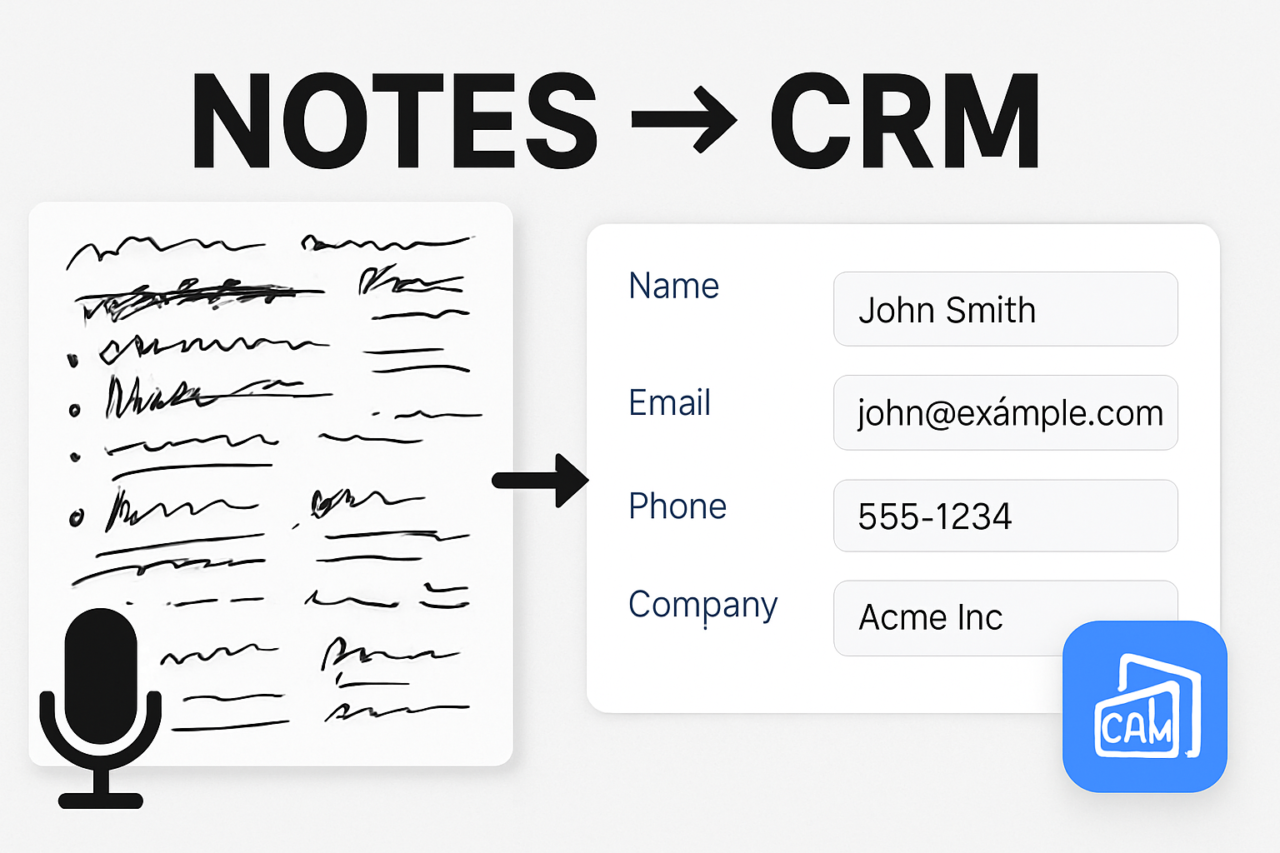
- Meeting Notes Automation: From Call Summary to CRM Updates converts live conversations into structured notes with key fields (pain, timeline, stakeholders, next steps).
- review gates that prevent bad data from polluting records.
Introduction: Why this matters
Manual note-taking during meetings wastes time and often omits detail. Teams slip on follow-up, and CRM records become noisy or inconsistent. This article explains how Meeting Notes Automation: From Call Summary to CRM Updates can turn conversations into reliable data that drives faster decisions. By combining transcription, natural language processing (NLP), and governance gates, you can produce structured notes and push them into your CRM with minimal human labor. If you want to see practical templates and workflows, check our notes automation templates page for ideas.
What is Meeting Notes Automation: From Call Summary to CRM Updates?
At its core, this approach turns an unstructured meeting dialogue into a structured record. The process starts with a transcript and ends with updated CRM fields and tied tasks. The key is to define a template for the notes and a series of checks that ensure data quality before the CRM is touched. Think of it as notes-to-CRM integration that protects data while speeding up work. See how a CRM integration guide frames these steps.
How to generate structured notes from a call
The workflow has three practical stages. First, capture the discussion with an accurate transcript. Second, use NLP to extract structured fields from the text. Third, map those fields to a consistent note template and prepare them for CRM update. Each stage has concrete best practices that minimize errors and maximize usefulness.
Step 1 — Transcription that supports extraction
Choose a reliable transcription service with speaker labeling and punctuation. Clean transcripts reduce ambiguity for downstream NLP. If audio quality is imperfect, consider a short manual review pass for critical sections. For teams exploring options, compare a few providers and select one that integrates with your automation platform.
Step 2 — NLP extraction and normalization
Apply NLP to identify structured fields such as pain points, timeline, stakeholders, and next steps. Use a standardized schema to keep data consistent across meetings. Leverage templates that map each field to a CRM field, so a single click can trigger a push into the system.
Step 3 — Template-driven structured notes
Adopt a consistent note template that captures the essentials in a repeatable format. A well-designed template reduces cognitive load on the reviewer and lets the automation handle the heavy lifting. Include both free-text summaries and structured fields so human readers get context and the system can populate analytics dashboards.
Key fields to extract: pain, timeline, stakeholders, next steps
Focusing on core fields helps ensure CRM relevance and downstream action. The fields below form a practical baseline you can extend as needed. Use standardized templates to keep terminology uniform across teams.
- Pain or problem statement: What problem does the customer need to solve? Capture the primary impact and any quantified pain where possible.
- Timeline: What are the deadlines or milestones mentioned? Include urgency, go/no-go dates, and any seasonality or dependency notes.
- Stakeholders: Who were the decision-makers, influencers, and technical owners? List names, roles, and contact preferences.
- Next steps: What actions were committed, who owns them, and when should they be completed? Include any required follow-up meetings or deliverables.
These fields are the backbone of a useful note. When consistently populated, they unlock reliable reporting, pipeline insights, and faster follow-through. For teams that want added depth, consider semantic tags like priority, risk, or stages to support pipeline stages in the CRM.
CRM updates with review gates
Directly pushing notes into the CRM without checks can create duplicate records, misclassification, or stale data. To prevent this, introduce review gates before any CRM update. A review gate is a lightweight approval step that validates data quality, confirms ownership, and ensures alignment with CRM field mappings. The gates act as a safety net while still enabling fast follow-up.
A practical review-gate workflow might look like this: after extraction, the system routes the draft note to a designated reviewer (often the account owner or team lead). The reviewer validates fields, resolves ambiguities, and approves or revises the data. Only then does the CRM get updated and tasks get created. You can also automate conditional gates, such as flagging high-risk items for review regardless of author.
Practical CRM mapping and governance
Mapping notes to CRM records requires a clear schema. Map pain and stakeholders to account or contact fields, connect timeline to stages or opportunity dates, and attach next steps to activity/tasks. Build guardrails: mandatory fields for CRM updates, format checks (dates, emails), and deduplication rules. If you want to see examples, explore our CRM data quality playbook for practical mapping strategies.
Common failure modes and how to prevent bad data from polluting records
Automation helps, but it can also introduce errors if not designed with care. Below are common failure modes and concrete mitigations. Treat these as part of a living playbook that you refine over time.
Inaccurate extractions due to noisy transcripts
Noise and informal language can mislead NLP. Mitigation:
- Use higher-quality audio when possible.
- Apply a lightweight post-edit check for critical meetings.
- Incorporate confidence scores and route low-confidence extracts to review.
Missing context or pronoun ambiguity
Pronouns like “they” or “it” can obscure meaning. Mitigation: update the extractor to consider surrounding sentences and tag entities (people, teams, products). Maintain a short glossary of common terms used in your organization to anchor references.
Duplicates and inconsistent terminology
Different phrasing can create near-duplicates. Mitigation: enforce canonical field names and use a deduplication pass before CRM update. Regularly run data cleanups and harmonize synonyms across teams.
Stale or late data entering CRM
Delays in review can leave records outdated. Mitigation: implement time-bound gates, notify owners of pending updates, and create analytics that highlight aging records. A lightweight automation can remind reviewers if no action occurs within a set window.
Practical example: a discovery call to CRM update workflow
Consider a 25-minute discovery call with a prospective client. The transcription is generated automatically, and NLP extracts the core fields: Pain is described as a need to shorten order cycles; Timeline shows a go-live date in Q2; Stakeholders include the VP of Operations and the IT lead; Next steps specify a technical workshop within two weeks. The draft notes are routed to the account manager for review. After verification, the system updates the CRM with the structured notes, creates follow-up tasks, and logs the activity as a closed-loop record for the account history. The immediate benefit is clear: faster follow-up and cleaner data for forecasting. If you want to see a hands-on template, check our discovery call templates page.
Visual aid suggestion and its purpose
We recommend a flowchart that maps the end-to-end process from transcription to CRM update with review gates. The chart should show data inputs, NLP components, validation steps, and final CRM mapping. Purpose: to align teams on responsibilities, reduce handoffs, and identify bottlenecks. A sample diagram can be placed in the article as an infographic or embedded image:  . If you publish this on your site, include a downloadable version for team alignment.
Implementation tips for teams starting today
Start with a minimal viable workflow and iterate. Practical tips:
- Define a single note template and map each field to a CRM counterpart.
- Choose a transcription service that integrates with your automation platform and supports speaker labeling.
- Implement review gates as a required stage before any CRM update.
- Use confidence scores from NLP and route only high-confidence extractions to CRM automatically; escalate the rest to review.
- Monitor data quality with simple dashboards that track missing fields and aging records.
For a step-by-step starter plan, see our starter plan for meeting notes automation. You can also review existing playbooks to adapt to your org.
Conclusion: turn conversations into reliable CRM data
Meeting Notes Automation: From Call Summary to CRM Updates provides a practical path to reduce manual work, improve data quality, and accelerate follow-up. By binding transcription, NLP extraction, and governance gates to a clean CRM mapping, teams gain consistent notes and measurable impact. Start with a lightweight template, establish review gates, and monitor outcomes to refine the process. If you’re ready to explore how this approach fits your tech stack, talk to our automation specialists or explore related content such as the CRM best practices page.
Call to action: Implement a pilot in one team this quarter. Track time saved, data quality improvements, and conversion velocity. Share results in a cross-functional review to expand the program and keep data accurate and actionable.